> For the complete documentation index, see [llms.txt](https://docs.ak4y.com/llms.txt). Markdown versions of documentation pages are available by appending `.md` to page URLs; this page is available as [Markdown](https://docs.ak4y.com/information/cfx-auth-system.md).
# CFX Auth System
### **Where I will find my resources?**
You can find all your new bought resources in Keymaster [Granted Assets](https://keymaster.fivem.net/asset-grants)
### **I cannot find my resources**
You probably buy our resources with different CFX account, then you need to transfer them to the account that you are using for keys to your server. Use guide bellow
### How to transfer to another account?
**Please note that you can only make a one-time transfer.**
1. First step, you need to login to your [fivem keymaster ](https://keymaster.fivem.net/login)after we successfully got into the account, we are going to look [for this page ](https://keymaster.fivem.net/asset-grants)that is called **"Purchased assets"**
2. There you're going to see this list of bought resources
3. Here our point of interested is going to be the button called **"Transfer to another account"**
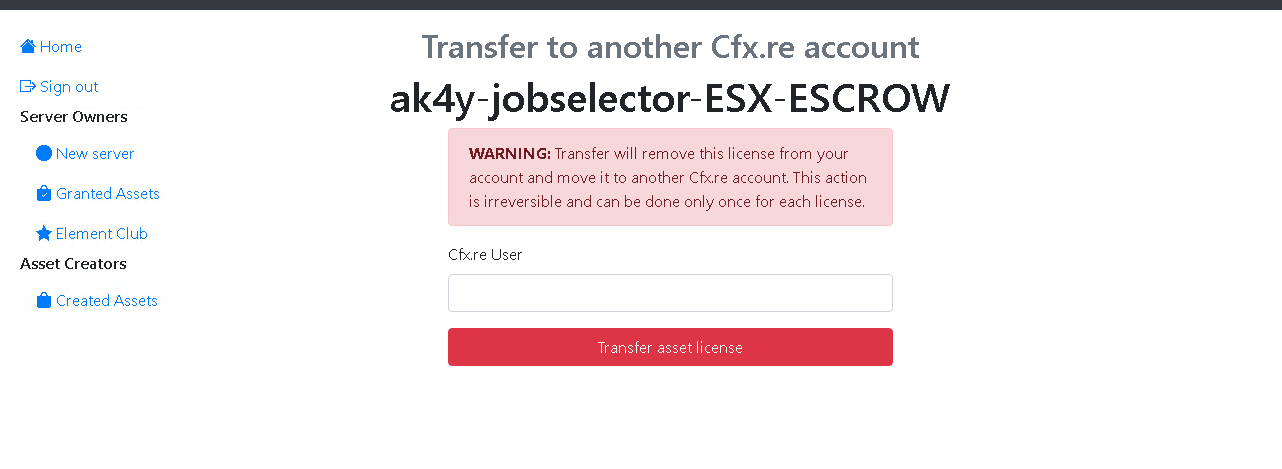
4. So we're going to click on the button and it will lead us to this page
5. Just enter the user name who you wish to transfer the script and thats it.